
type
status
date
slug
summary
tags
category
icon
password
使用自动操作实现Mac快速插入当前日期和时间
这里写文章的前言:
经常记笔记,想把当前记录的时间也写上。但是每次都要手打,很烦
今天有空搜索了一下如何自动插入当前时间在MacBook上,发现是有解决办法,于是就尝试了一下。
主要借助 macOS 的 Automator 和 Keyboard shortcuts
📝 How to insert current date and time using shortcuts on macOS
How to insert current date and time using shortcuts on macOS
1 Automator
1.1 open Automator

1.2 Choose ‘Quick Action’

1.3 add variables
Variables -> Date & Time -> Today’s date
Variables -> Date & Time -> Current time

Click here, you can change format

1.4 add actions

Actions -> Utilities -> Get Value of Variable
Actions -> Utilities -> Copy to Clipboard
You must set Workflow receives as no input, or else later it doesn’t work when using keyboard shortcuts
You can change the Variable
You can click the Run button on the right up corner to test whether it works.
1.5 save actions

Press cmd + s to save the file, name it, the name will be used after.
Next, we’ll set keyboard shortcuts
2. keyboard shortcuts
2.1 Open setting for keyboard shortcuts

2.2 set shortcuts for actions

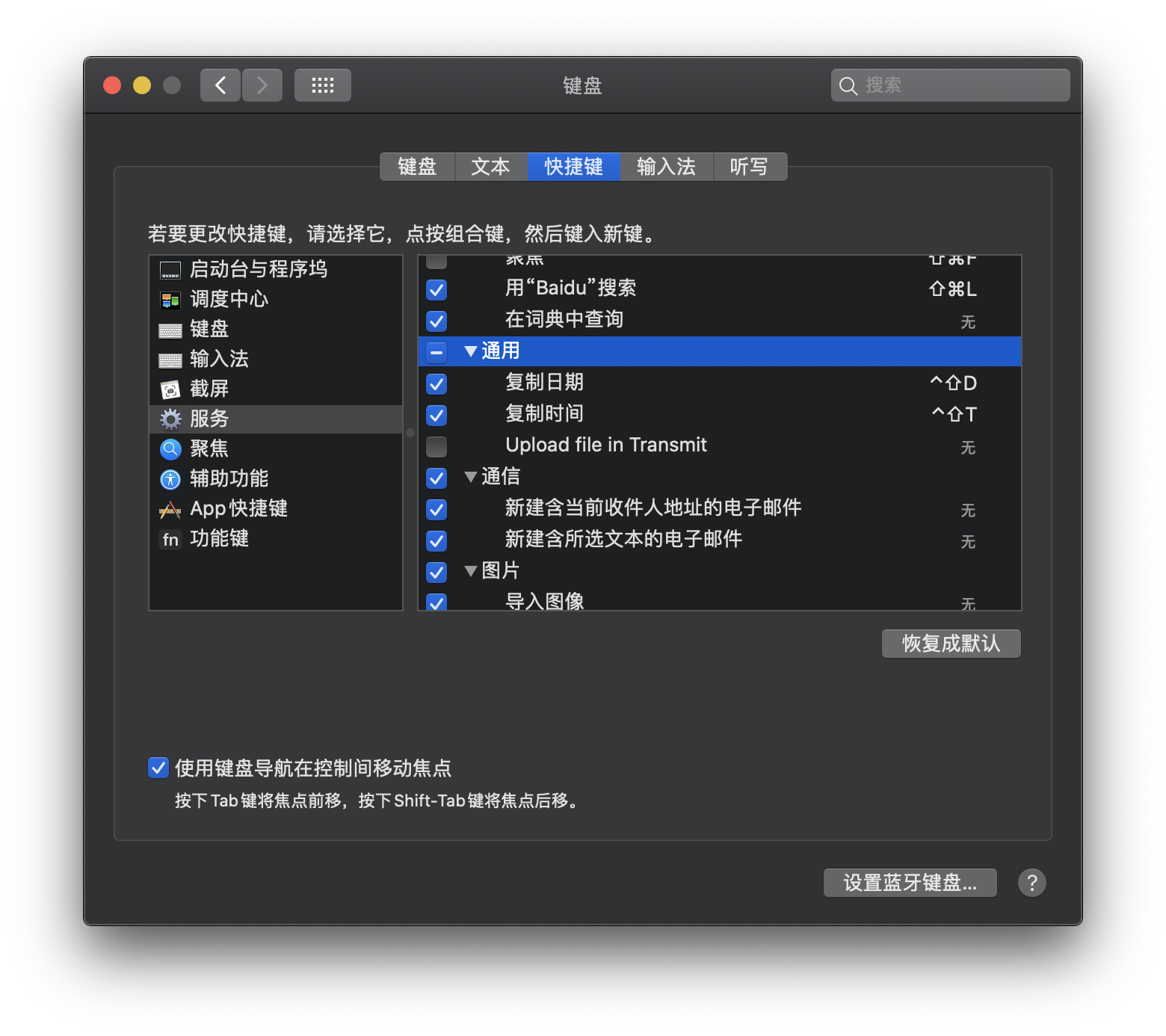
Services -> General
Set shortcuts for these quick actions
Click done, then you can use it through shortcuts, try it!
📎 参考文章



- 作者:Lueffy
- 链接:https://blog.dftba.fun/article/5d3a315d-459e-41a3-a417-bbeb28e874a7
- 声明:本文采用 CC BY-NC-SA 4.0 许可协议,转载请注明出处。